DeepBot
Scripts: work on the person's computer
When an app needs real work done (convert, render, analyse, download, call a local program), ship a script and let the Bot run it. The interface cannot run programs; the Bot can, on its computer, with the person watching what it does.
Set "computer": true in permissions; the person sees "Runs commands on your computer" before
installing.
#Where things are
- The app's own folder on the computer:
{{APP_DIR}}in the skill (DeepBot replaces it with the real path). Scripts live there. Never write into it (it is replaced on every update). - The workspace: the Bot's working folder (
$env:WORKSPACE_DIR/$WORKSPACE_DIR, where its commands start). Read inputs from and write outputs to your folders there, so the interface can show them.
#Writing a script the Bot can drive
- Python 3, standard library first. If you need packages, say in the skill how to install
them (
python -m pip install --user pillow) and have the script print a clear error when one is missing. DeepBot runs on Windows, macOS and Linux: usepathlib, no shell tricks. - Arguments in, JSON out. Take paths and options as arguments (
argparse), print one JSON object per line for progress and results, and a final summary line. The Bot reads JSON reliably. - Exit codes: 0 done, non-zero failed, with a JSON
{"error": "..."}line saying why. - Long jobs: write
progress.jsonin the job's workspace folder ({"state": "running", "percent": 42, "doing": "Rendering clip 3 of 8"}, then"done"or"failed"), so a page can show progress by reading it every second or two. Run it in the background (the skill tells the Bot how) and have a--waitmode or a status command the Bot can poll. - One bad input does not stop the rest: report it and continue.
- Nothing on the person's screen (Windows). A script that runs without a console (a helper
under
pythonw, a scheduled task, anything started in the background) opens a console window for EVERY program it starts: one refresh that runssshorpingper server flashed dozens of windows. Start every subprocess withcreationflags=0x08000000(CREATE_NO_WINDOW) on Windows:NO_WINDOW = {"creationflags": 0x08000000} if os.name == "nt" else {}, thensubprocess.run(cmd, ..., **NO_WINDOW). A helper that must keep running is started withpythonw, and a scheduled task runspythonw script.py, neverpowershell.exe(PowerShell flashes a console each time the task fires, even with-WindowStyle Hidden). - Do not download and execute code. Do not touch files outside the workspace unless the person named them.
#Example (image-tools)
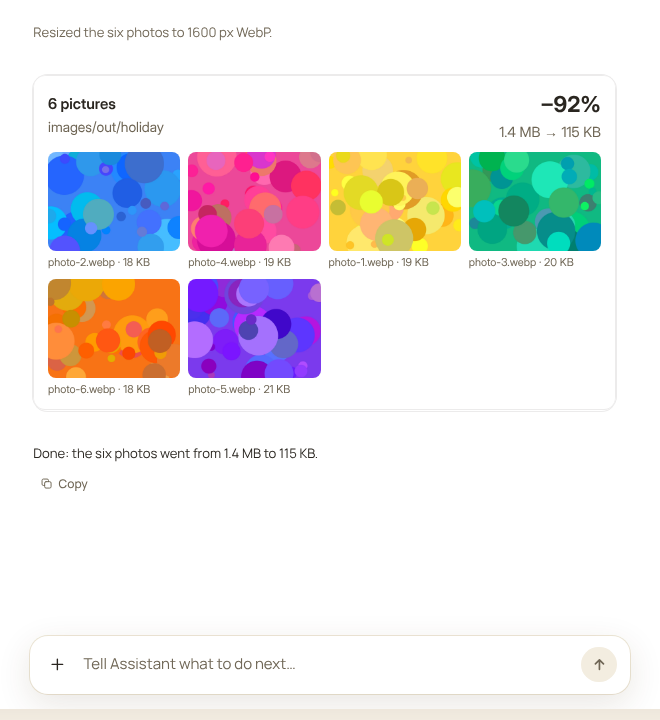
python {{APP_DIR}}/scripts/resize.py images/in/holiday images/out/holiday --width 1600 --format webp
{"file": "photo-1.webp", "width": 1600, "height": 1200, "before": 231774, "after": 19302}
...
{"done": 6, "before": 1386372, "after": 115216}
The skill tells the Bot: where to put the inputs, the exact command, what each option means, how to read the summary, and to call the result card afterwards.